Finn O'Brien
Last updated: 12 January 2026
In this article, you will find:
How to access the account task area the platform.
The process of viewing and completing account tasks.
You can access your Account Tasks from within the Account Management area, located at the bottom-left of the platform.
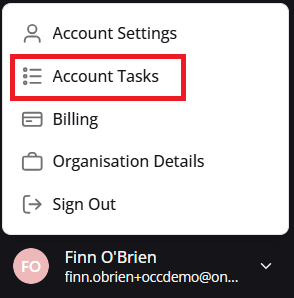
Navigation guidance for accessing account tasks
Inside of the Account Tasks area you will find tasks that have been set for you by a member of the OneClickComply team. These tasks can range from specific integration-related processes, to reminders of important timelines.
You can find an example Account Task below:
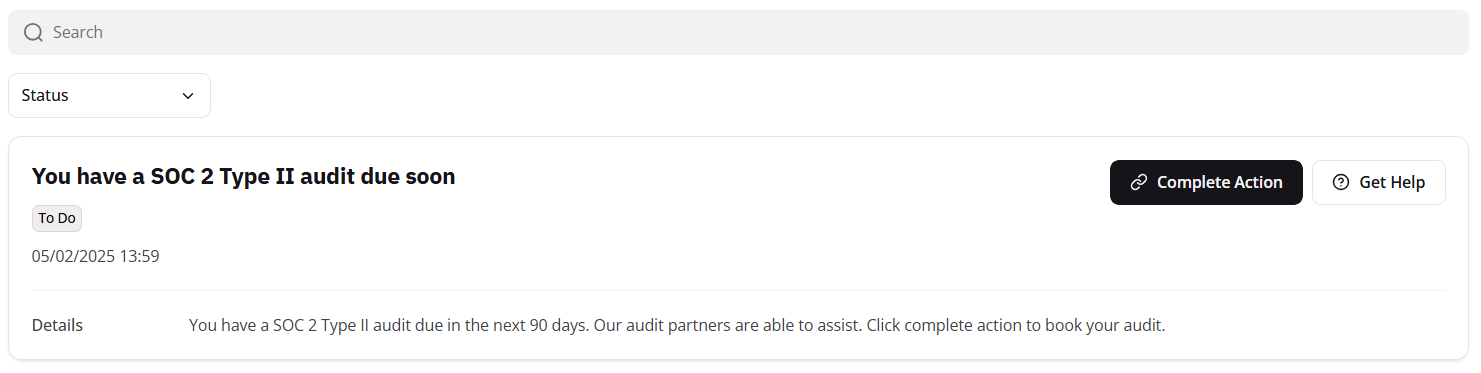
Example account related task
To complete a task, select the Complete Action button.
If you have any questions regarding Account Tasks, or how they may impact your use of the OneClickComply platform, please contact a member of the support team.