Adding Risks to the Risk Register
This guide walks you through the necessary fields and categories to ensure your organisational risks are properly documented and mitigated.
Maintaining a Risk Register allows your organisation to move from reacting to problem to proactively preventing them. It provides a central source that helps you identify, prioritise, and track potential threats before they turn into costly security breaches. By documenting these risks, you gain a clear visual map of your vulnerabilities. Ultimately, it demonstrates to auditors and stakeholders that you have a mature, data-driven approach to protecting your business.
To begin adding risk manually, select Risk Register from the main navigation bar.
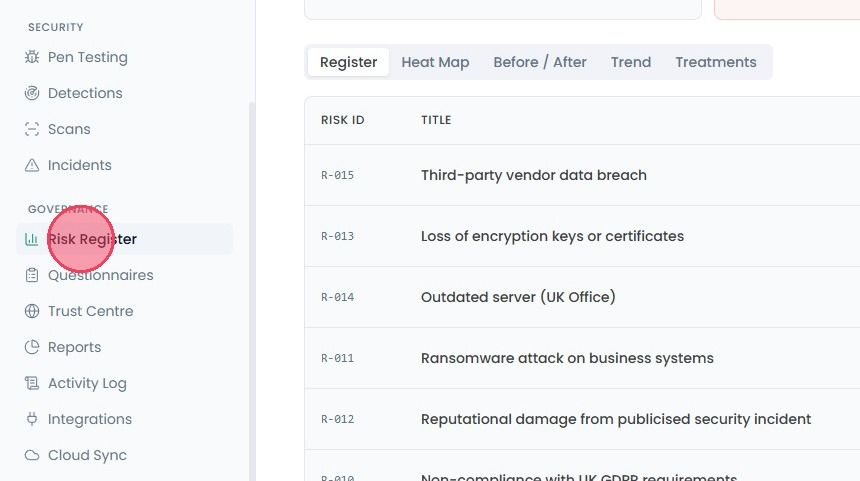
It will bring you to the Risk Register page. Click Add Risk button in the top-right corner and it will open a pop-up window.
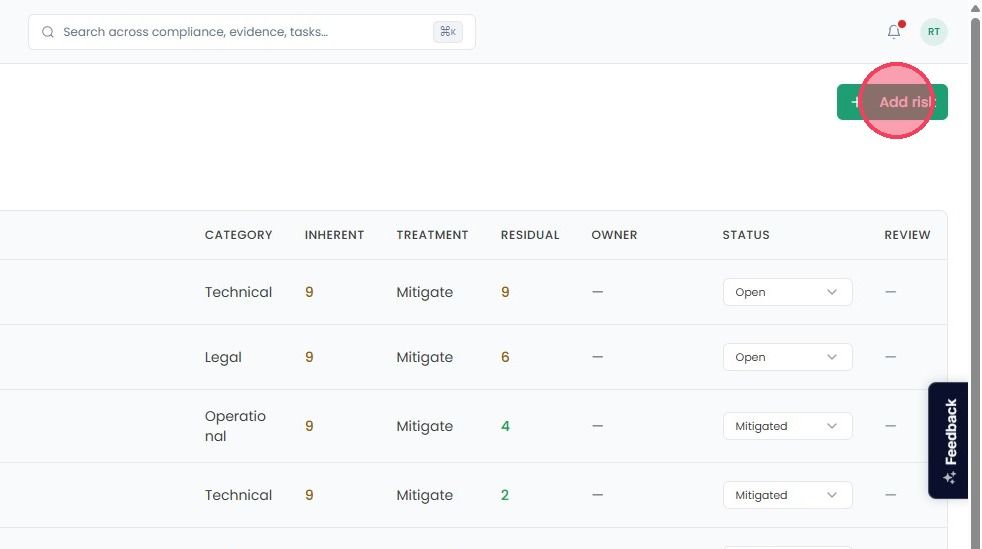
You’ll need to enter few details.
Title: A short, descriptive name for the risk.
Ref: Enter a reference code to help you track and organise your risks.
Description: Use this box to add context. What is the root cause? What would a potential scenario look like?
Category: if it is an Operational, Technical, Legal, or Financial risk
Treatment - Select your strategy:
Mitigate: Your organisation will take steps to reduce the risk.
Accept: You acknowledge the risk but won’t take immediate action.
Transfer: You will move the risk to a third-party (like insurance).
Avoid: You will change your process to eliminate the risk entirely.Likelihood: Select a number from 1-5 (1-Low to 5-High) based on the probability of this risk happening.
Impact: Select a number from 1-5 (1-Low to 5-High) based on if it does happen, the damage this risk will cost to the organisation.
Note : Once you enter the numbers for likelihood and impact then inherent score will get calculated dependent on that.
Residual Likelihood: Select a number from 1-5 (1-Low to 5-High) based on the how likely the risk now that you have protections.
Residual Impact: Select a number from 1-5 (1-Low to 5-High) based on the remaining potential damage.
Note: The platform will immediately calculate your Residual Score based on these inputs.
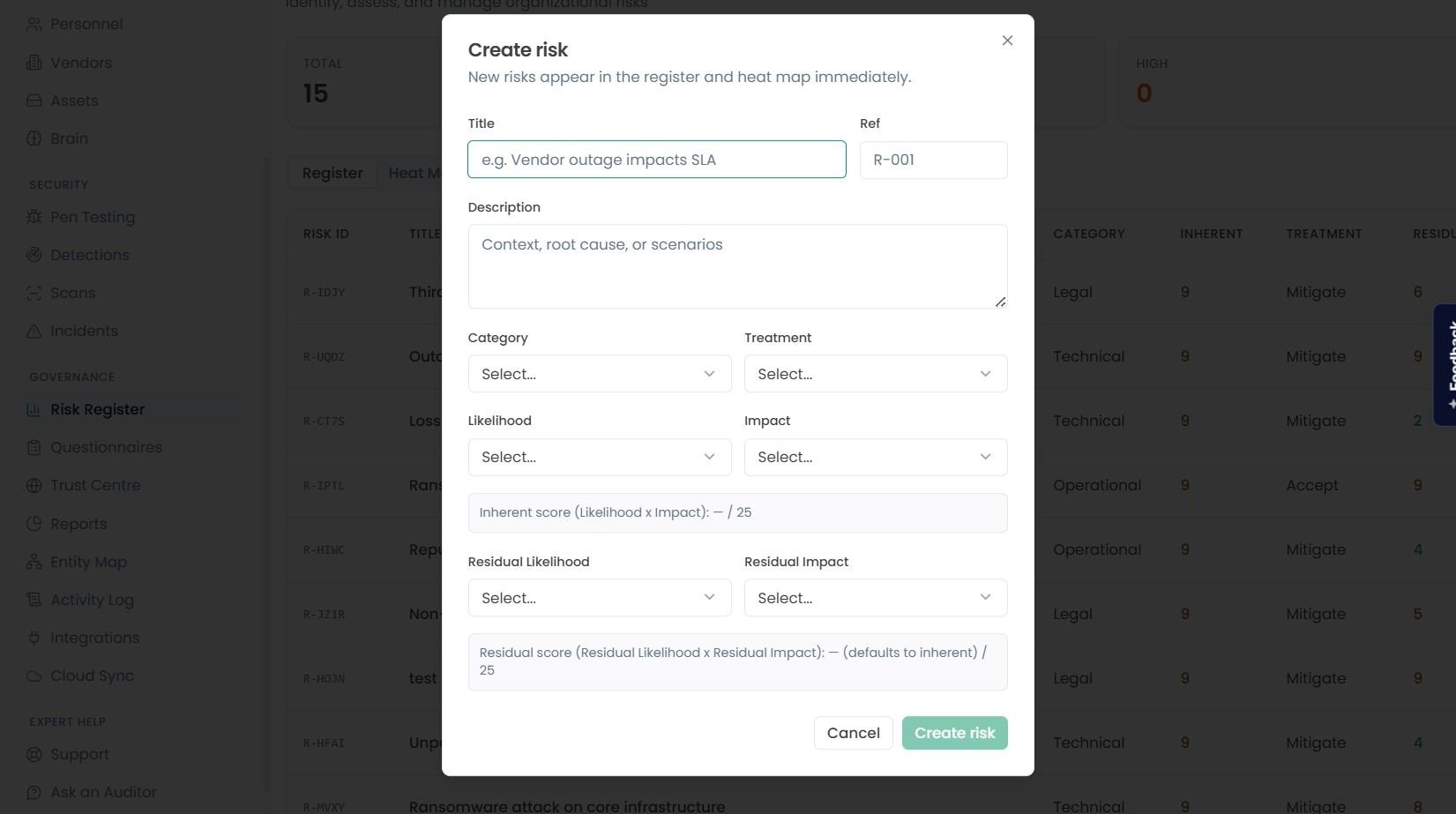
Once you’ve filled in the details, click Create Risk button. Your new created risk will immediately appear in your risk list, where you can begin tracking its progress over time.