Connecting and Managing Integrations
This guide walks you through the process of accessing, managing, and connecting integrations within the OneClickComply platform.
In order for the OneClickComply to automatically detect, remediate, and document compliance and security gaps within your organisation, it must first be connected to the tools that your business uses.
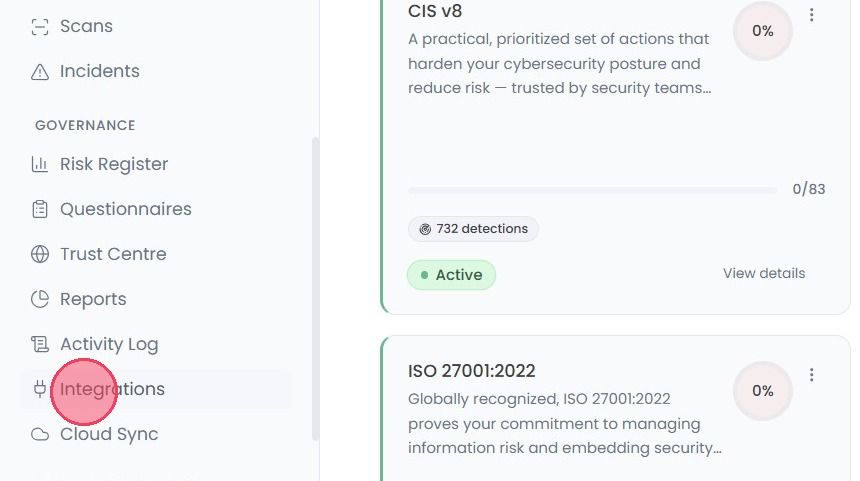
To begin connecting your tools, select the Integration tab from the main navigation bar.
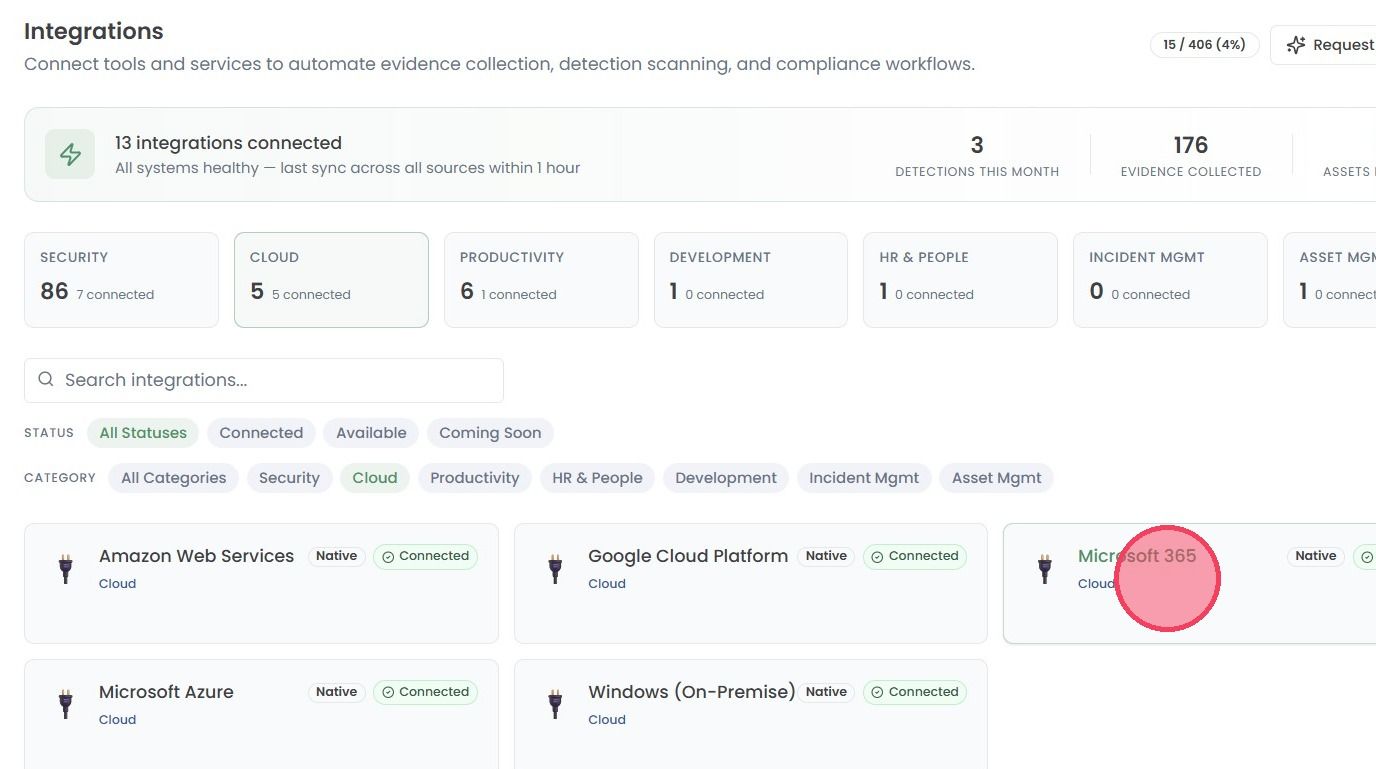
Once on the Integrations page, you will be shown a wide range of integrations that are either Available to connect immediately, or marked as Coming Soon.
Select the integration you wish to connect from the list.
Note: If you have already connected an integration, it will show a Connected status.
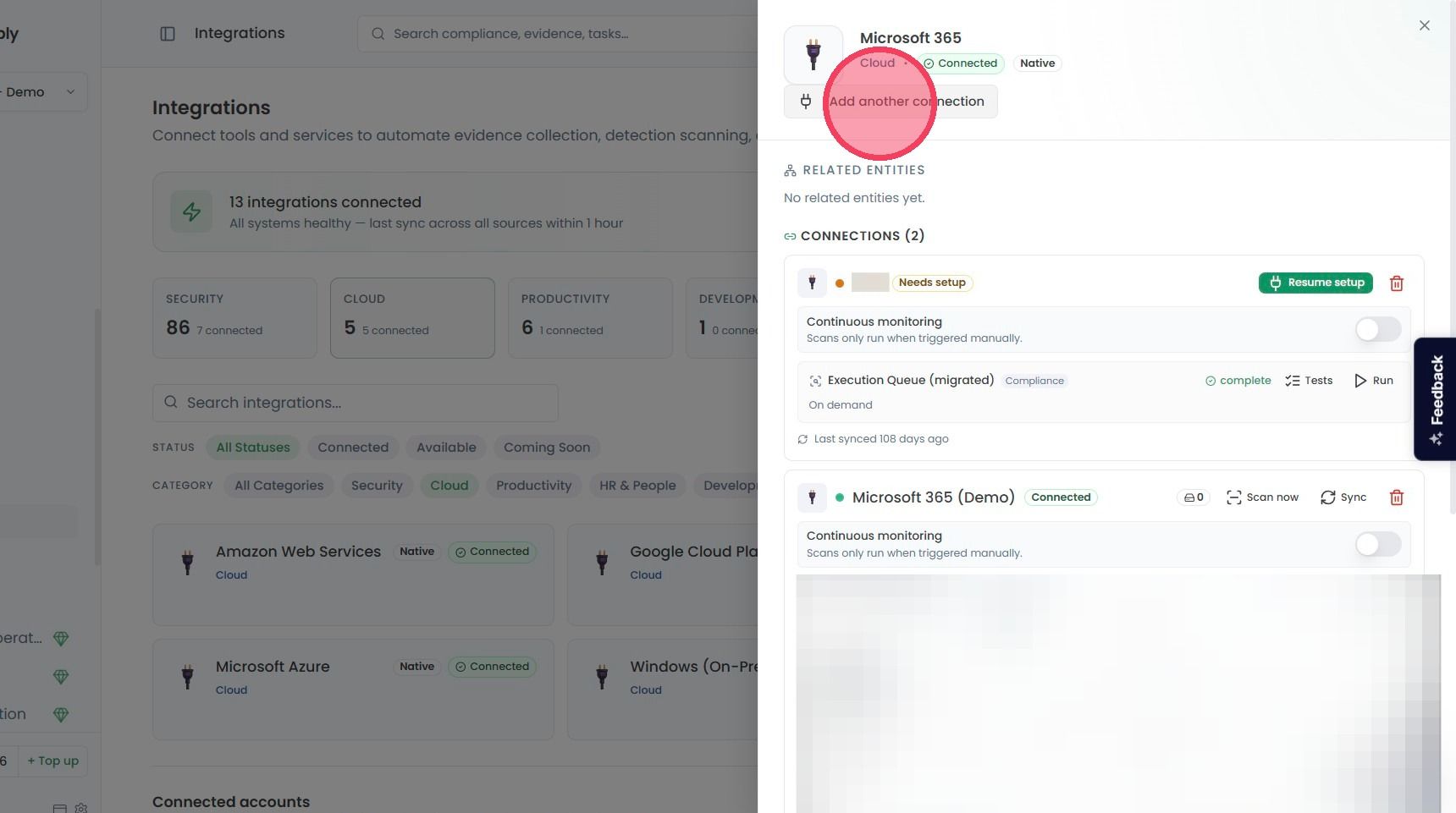
Selecting an integration will open a side window where you can manage any pre-existing connections, or connect new ones.
As shown in the example below, the Connections area will show a list of any pre-existing connections, and their current status. Integrations can contain multiple unique connections, each of which are scanned and monitored for compliance when connected.
To add a new connection, select the button beneath the integration title.
If there are no pre-existing connections on the integration, the button will be labelled Connect [Integration name].
If there are already connections, the button will be labelled Add another connection.
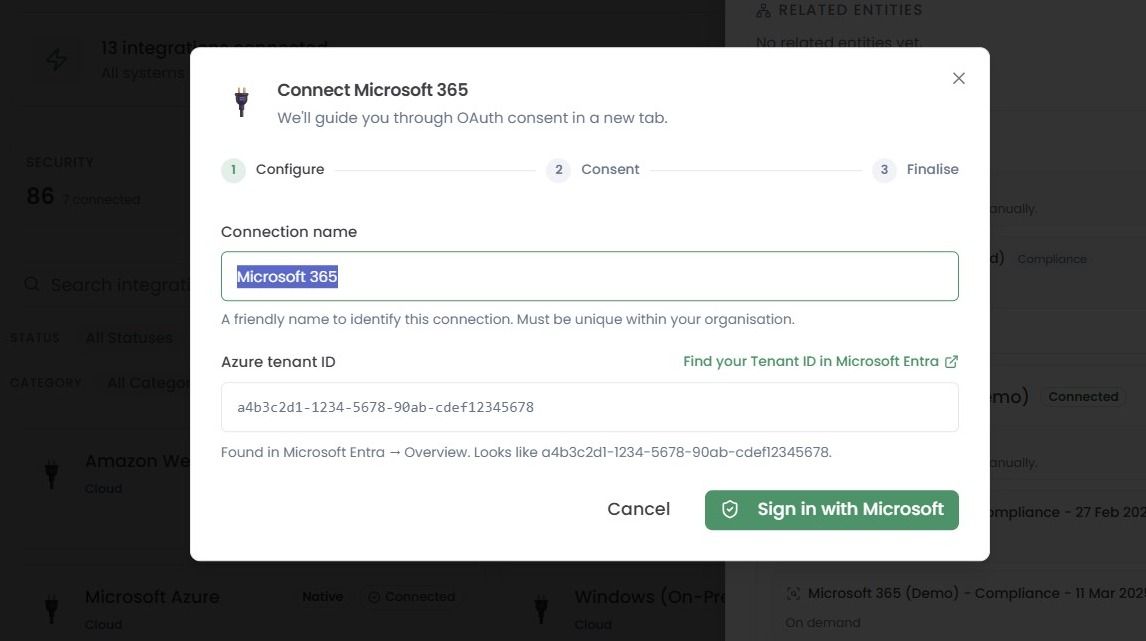
Once selected, a pop-up window will appear to guide you through the integration process.
The amount of information required to complete an integration varies depending on the tool or service. Some applications may only require surface level information, whereas others may require prior configuration before they can be connected (e.g. cloud platforms such as AWS, Azure, or Google Cloud).
What counts as an Integration?
An integration is a connection to a single distinct tenancy or environment. Each tenancy you connect occupies one integration slot, regardless of the size or volume of what sits inside it.
This applies consistently across all platforms. For example: each AWS account is one integration, each GCP project is one integration, each Azure subscription is one integration, each GitHub repository is one integration, each Microsoft 365 tenancy is one integration and each HubSpot account is one integration.
Tenancies that sit under a shared organisational umbrella - such as AWS accounts within an AWS Organisation or GCP projects within a single organisation - are still counted individually. By design, each one maintains its own authentication, access controls, networking rules, and resource boundaries.
Each connection must be independently established, authenticated, and assessed, which is why each one occupies its own slot.
The number of resources, users, repositories, or endpoints within a tenancy does not affect slot counting. A GitHub repository with 100 lines of code occupies the same slot as one with 100,000. An AWS account running a single workload occupies the same slot as one running a full production environment.