Finn O'Brien
Last updated: 29 October 2025
In this article, you will find:
Information about signing-off your completed Cyber Essentials questionnaire.
Once generated, the View button will be replaced by a new button labelled Approve & Sign. This button allows you to mark the questionnaire as complete, acknowledge that the information within it is accurate, and that you have the authority to sign the document on behalf of the business. There will also be an area for you to sign the document in either print or drawn format. See below for examples of these areas:

Example of the Approve & Sign button
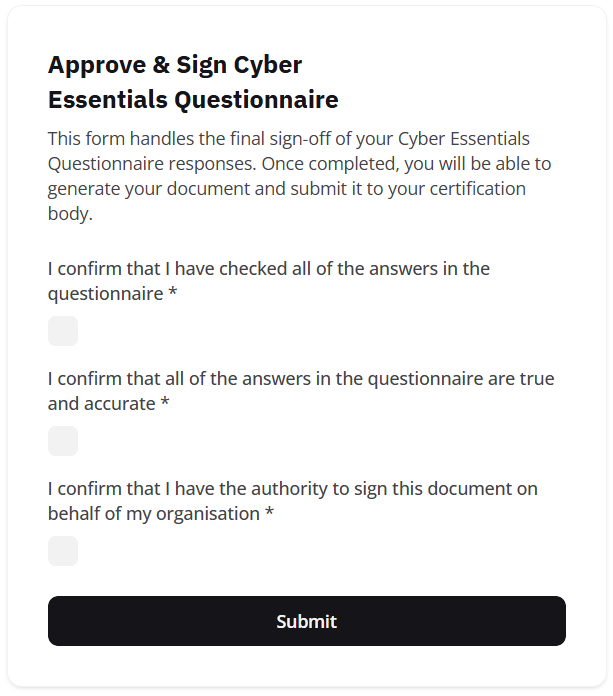
Example of the approval and signing process
Once completed, a new button will appear called Create Document. This will generate a downloadable .xls spreadsheet that contains all of your answers, plus those added by the platform, as well as your signature and a completion timestamp. This spreadsheet can then be submitted to your assessor of choice.
Note: It's important to remember that the Cyber Essentials Questionnaire is a crucial document in the certification process, as it should accurately reflect the internal security process implemented by your business. While the base certification of Cyber Essentials does not verify the implementation of these measures, the Plus certification requires that the answers in your questionnaire match the steps taken by your business to meet the requirements of the standard.
Please take some time to validate the answers provided in the document against your currently implemented security measures, otherwise you may risk failing your certification.