Pasting Transcripts and Scraping Websites For Context
This guide provides a simple walkthrough to help you organize your business context and manage your data efficiently.
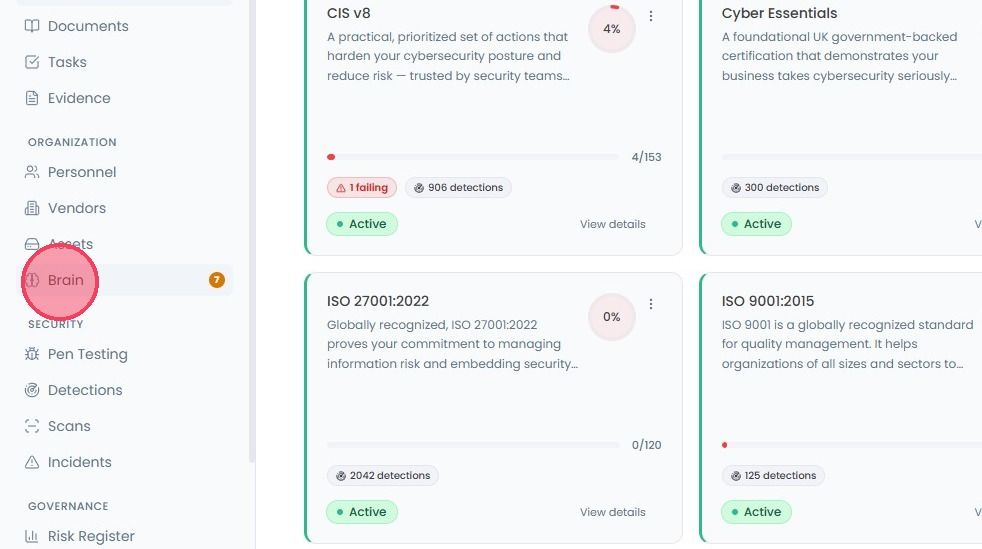
If you have a meeting transcript, raw notes, or any large block of text, you can quickly log it using the Paste Transcript option. Select Brain from the main navigation bar.
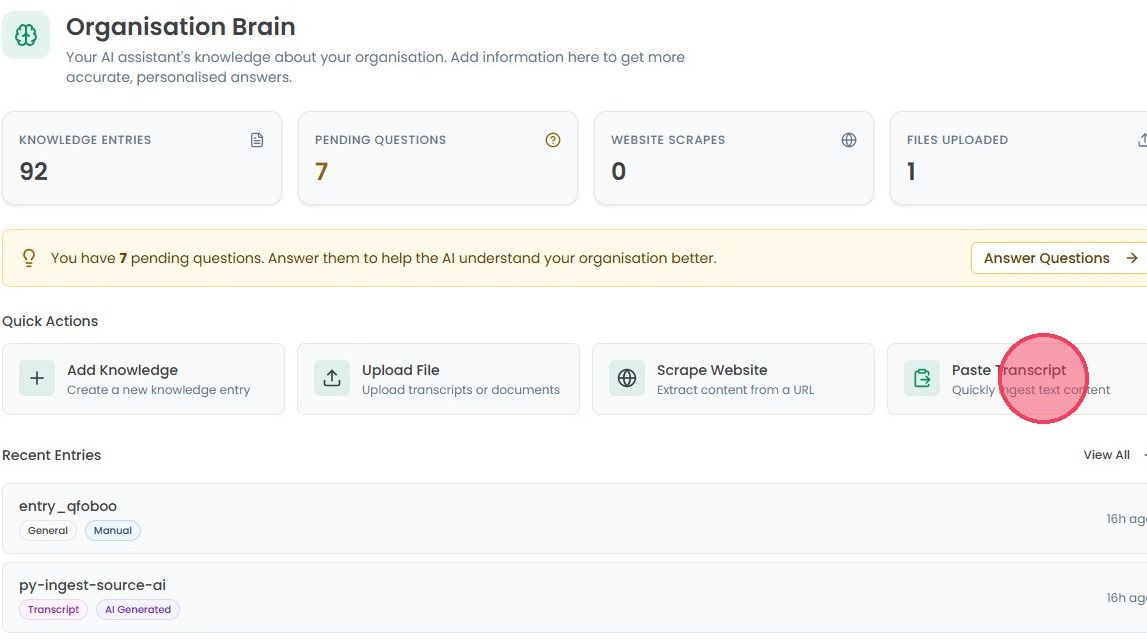
Select the Paste Transcript box under the Quick Actions section to open a pop-up modal.
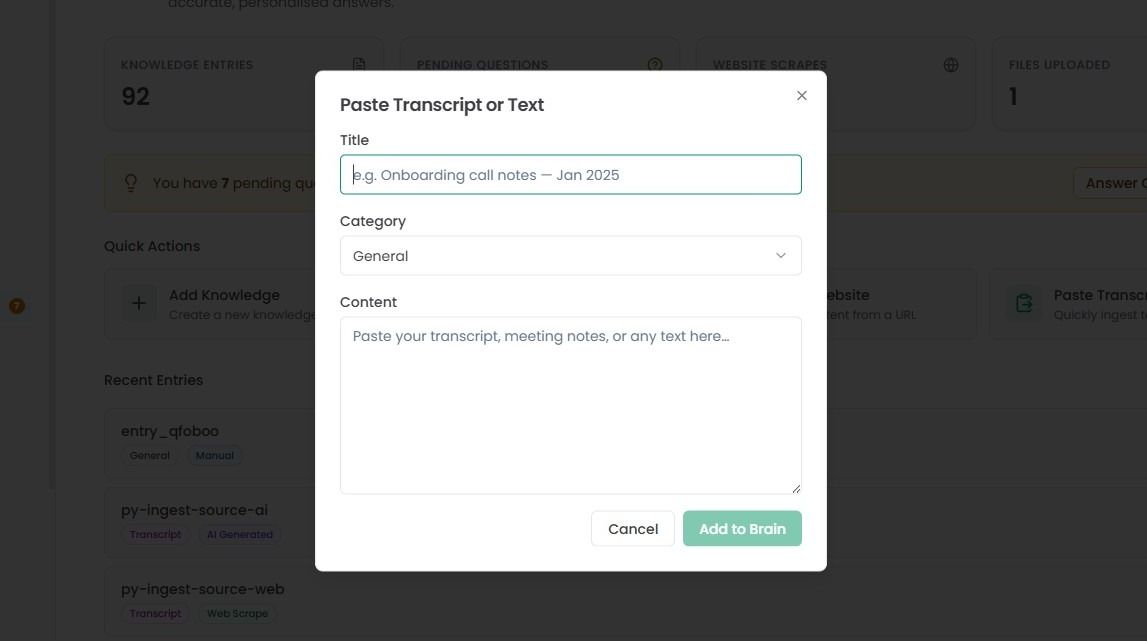
In the window that appears, provide a title and select the appropriate category from the drop down menu. Once you paste your text into the content box, click the Add to Brain button to save the information.
Scraping website content
The platform also allows you to extract information directly from a URL. This is particularly useful for internalising your company’s public policies, service descriptions, or technical documentation hosted online.
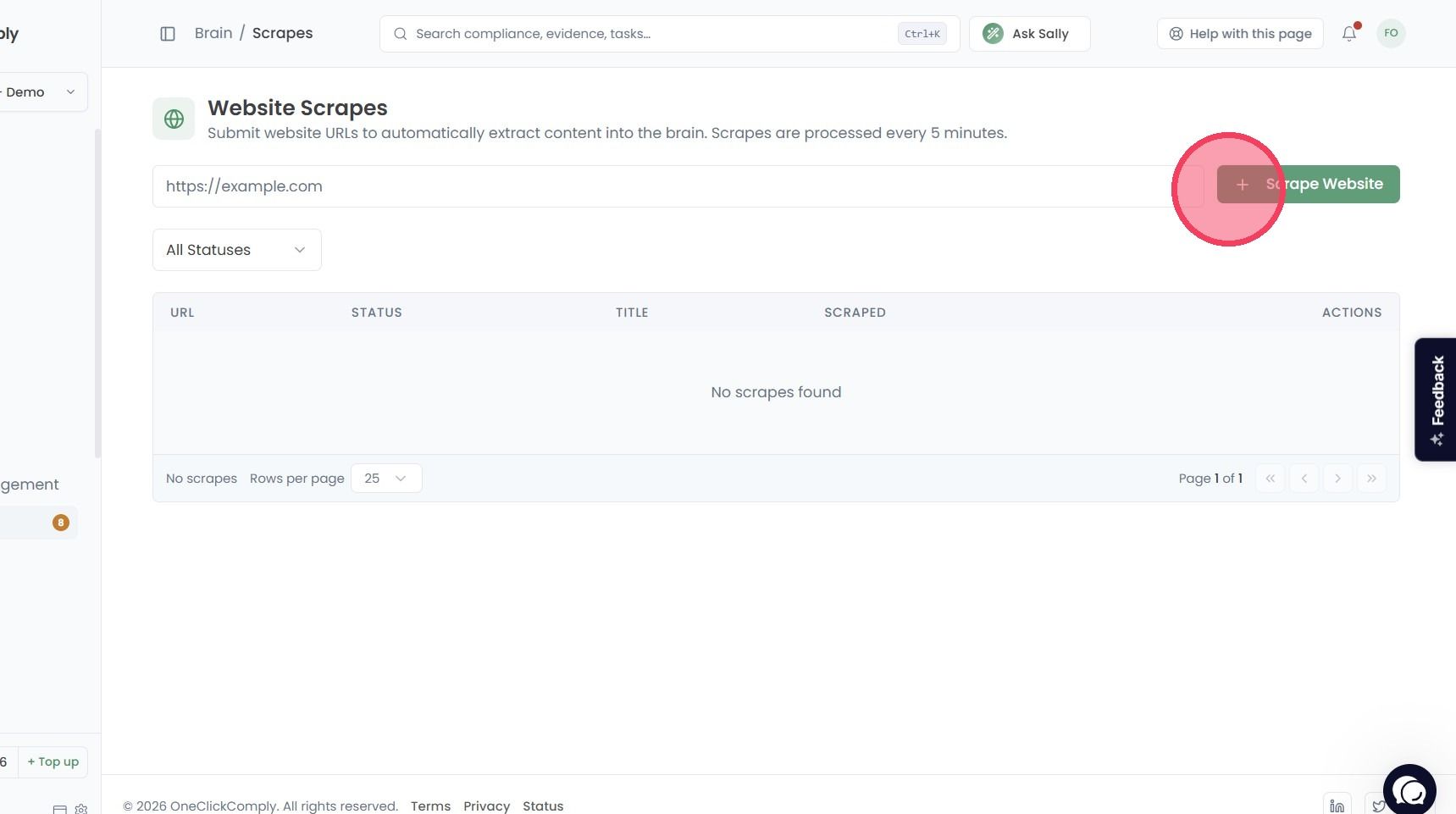
To use this feature, select the Scrape Website box under the Quick Actions area.
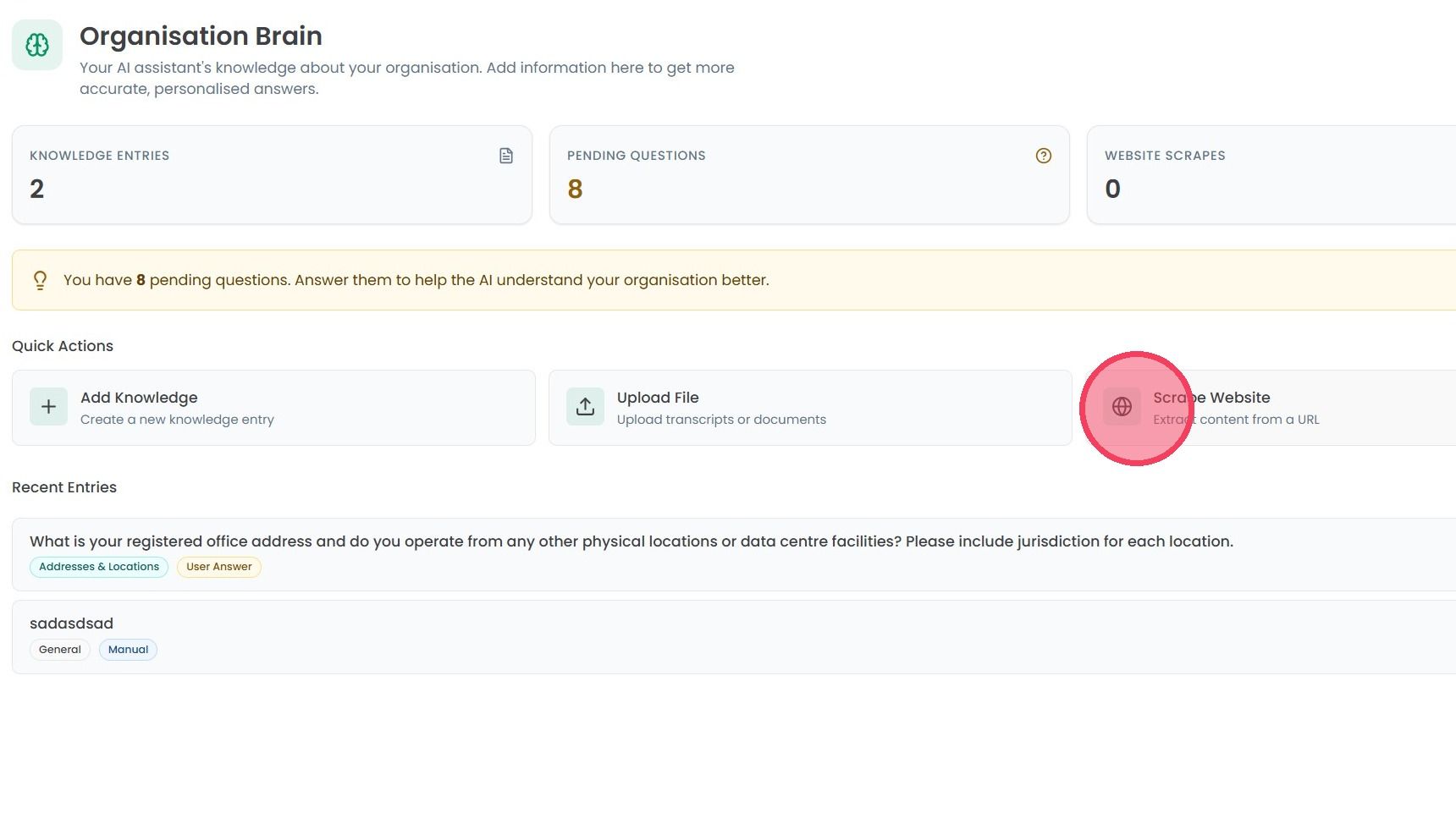
On this new page, provide the full URL of the website you wish to scrape, then click the Scrape Website button. The platform will then begin automatically extracting content from the web page.
Important: This feature is designed specifically for compliance purposes, and to streamline gathering context about your organisation. It must only be used to gather information from websites where your organisation is the legal owner.