Viewing Your Invoices
This guide streamlines the process of accessing your billing history so you can keep your account status current.
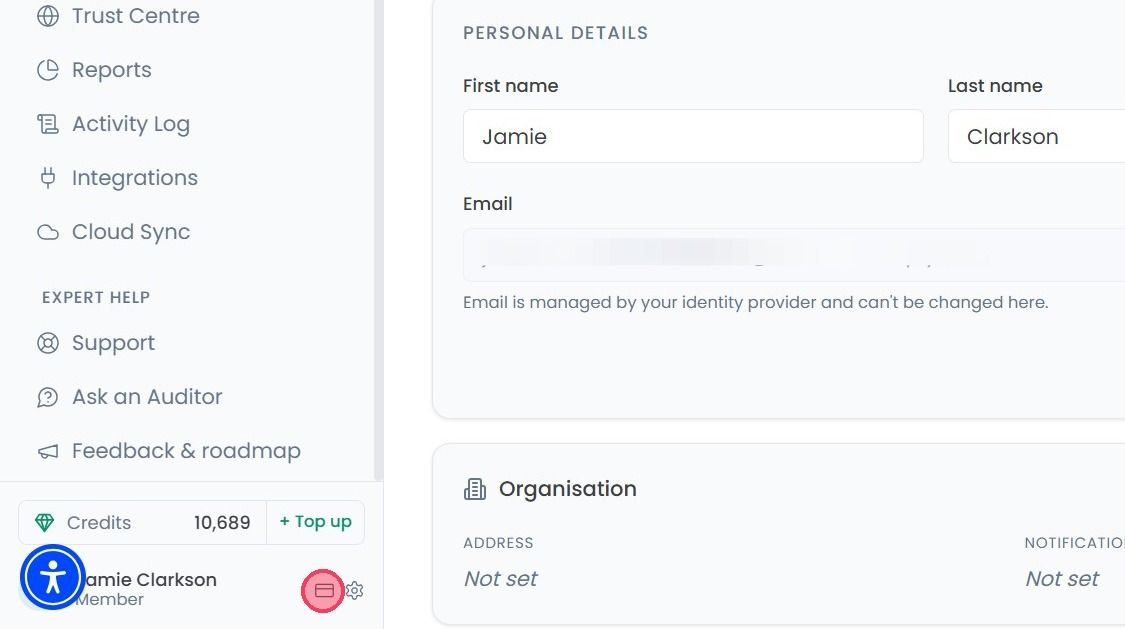
To view your invoices, select the Billing icon next to the settings (cog wheel).
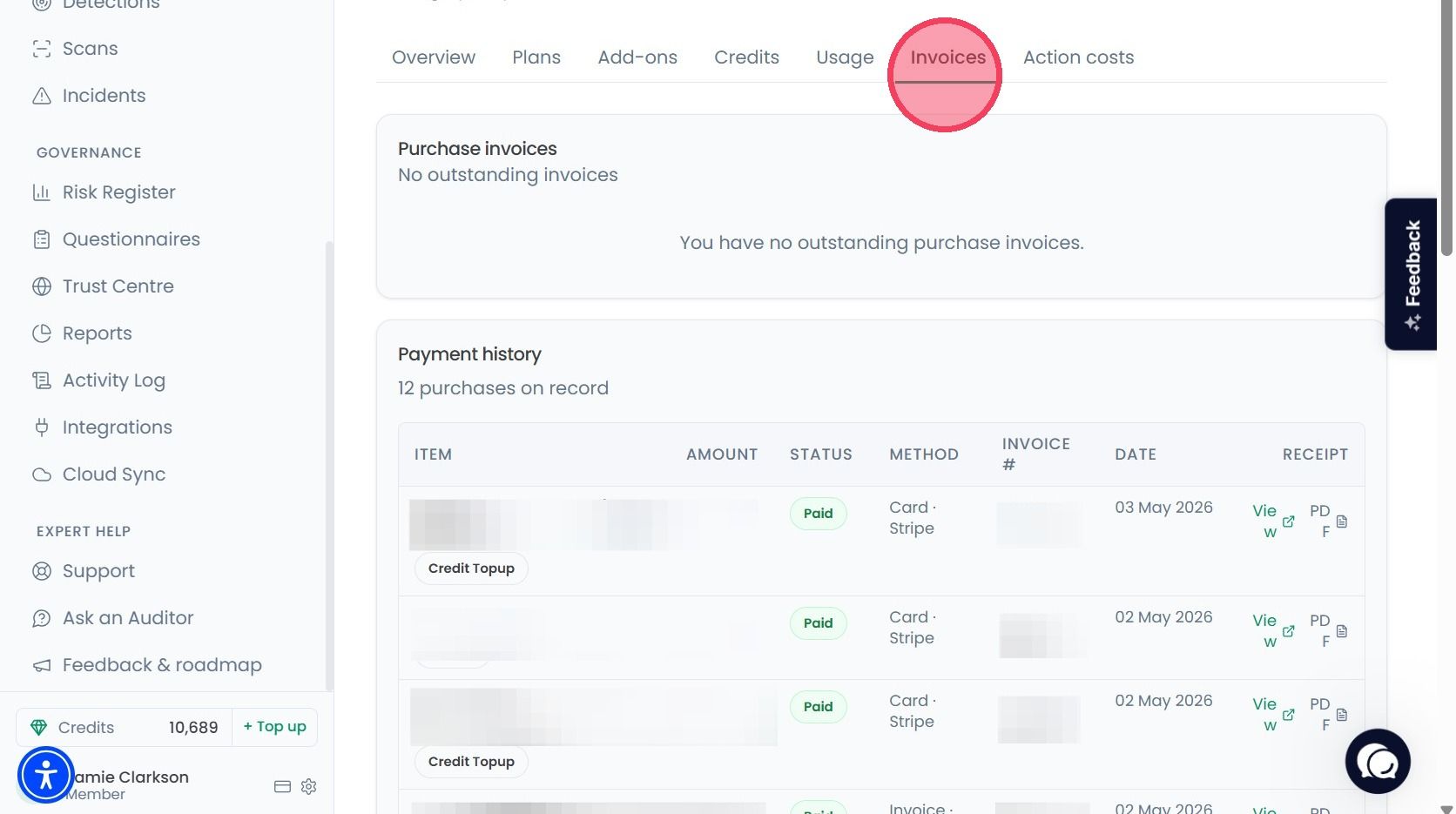
Select the Invoices tab, on that page you can see the breakdown of the activity.
Item: The name of what was purchased.
Amount: The full amount of the transaction.
Status: This shows whether the payment is Completed or Awaiting Payment.
Method: Whether you have paid by your card or invoice.
Invoice: Your unique reference number for that specific transaction.
Date: The date the purchase was initiated or the invoice was generated.
Receipt: By clicking on View you can see the receipt of your transaction.
If you have any outstanding invoices you can track them under Purchase Invoice section.