Configure Notifications
This guide walks you through customising in-app, email, and Slack notifications to ensure you never miss important updates.
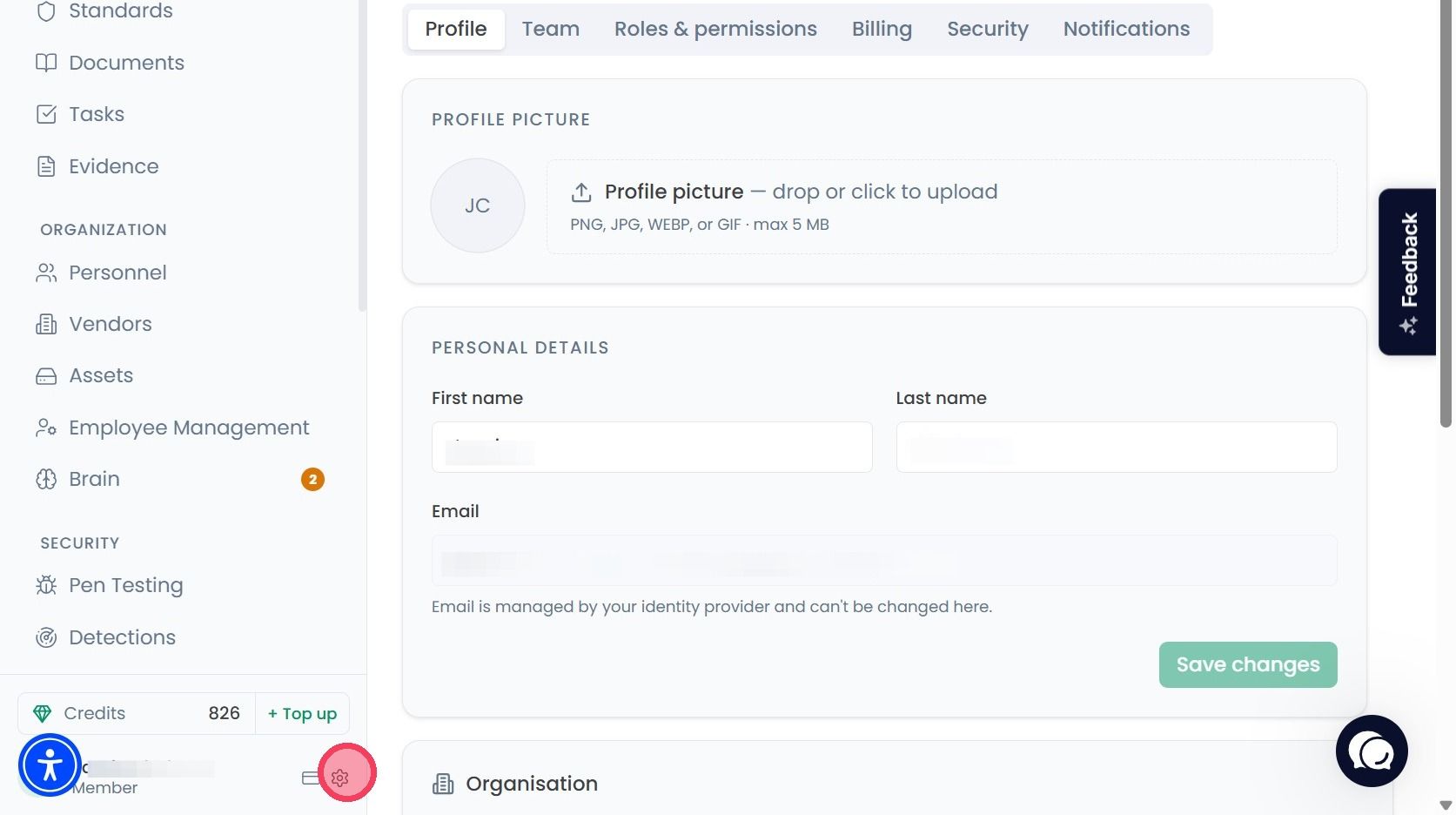
Select your Account and Organisation Settings by clicking the cog wheel, located next to your name at the bottom of the navigation bar.
On the Settings page, select the Notifications tab from the various options on the top row.
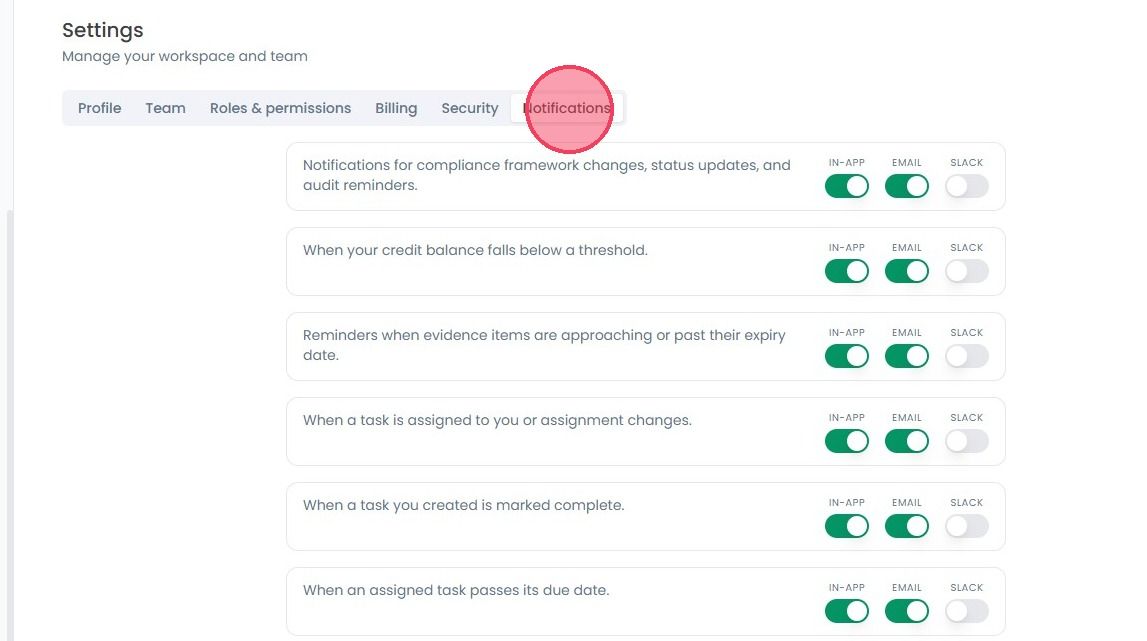
From the Notifications page you can configure what notifications you receive, and what channels they are delivered through. These options can either be enabled or disabled by selecting the associated toggle option.
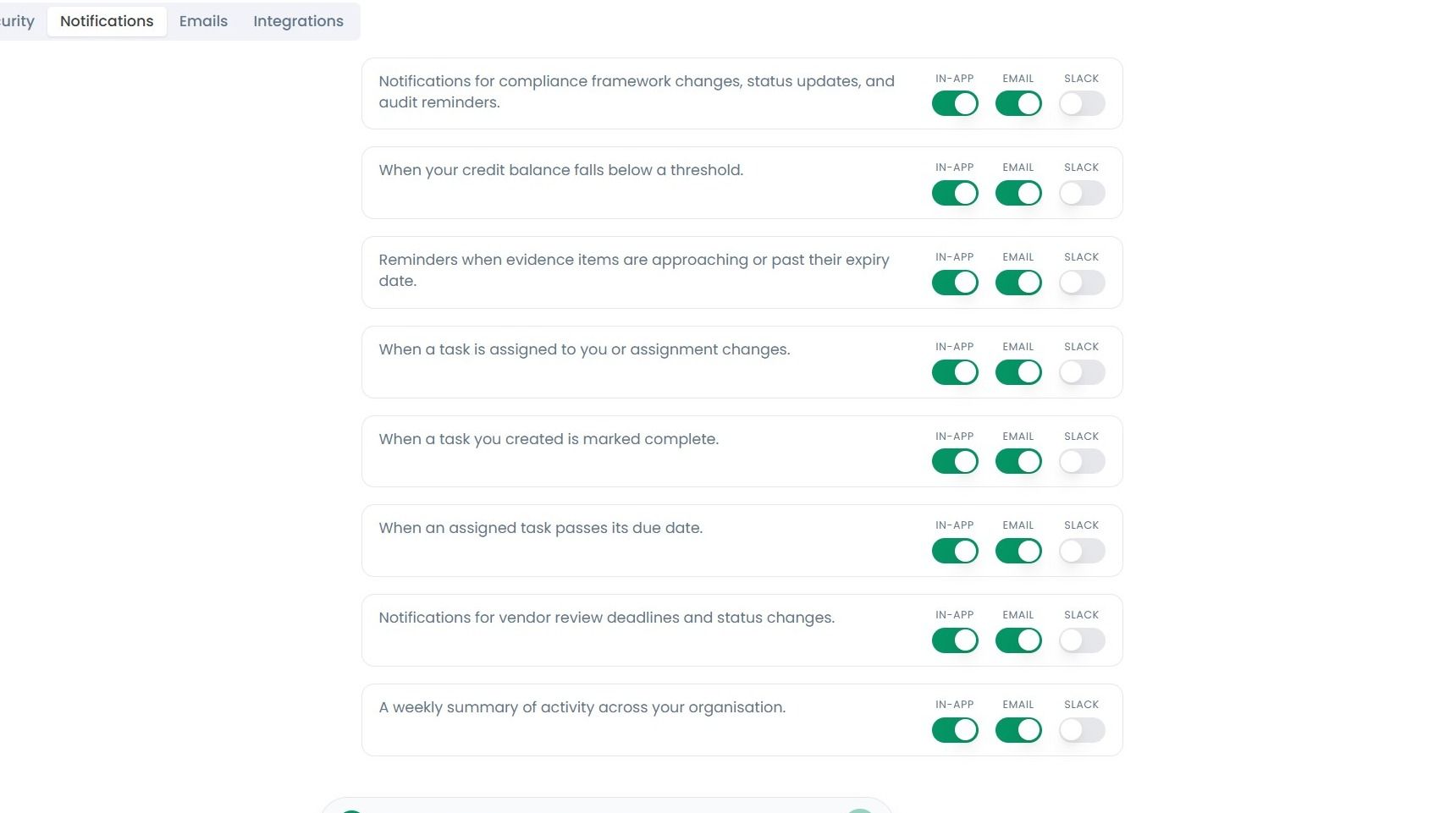
Notifications can be received either within the OneClickComply platform itself, via an email, or through a Slack message. Notification types include:
Reminders for upcoming audit deadlines.
Compliance framework changes, status updates, and audit reminders.
Credit balance falling below a certain threshold.
Evidence items approaching or past their expiry date.
A new compliance framework is adopted by your organisation.
A framework’s status changed.
A compliance policy is created or updated.
Task get assigned to you.
Tasks assigned to you or change assignment.
Tasks you created are marked as complete.
Assigned task has passed its due date.
Vendor review deadlines and status changes.
Weekly summary of organisation activity.