Tracking and Mitigating Organisational Risks
This guide walks you through analysing, visualising, and treating organisational threats within the Risk Register. You will learn how to calculate risk scores, track security trends over time, and manage the specific treatments used to mitigate your risks.
Viewing Heat Map Analytics
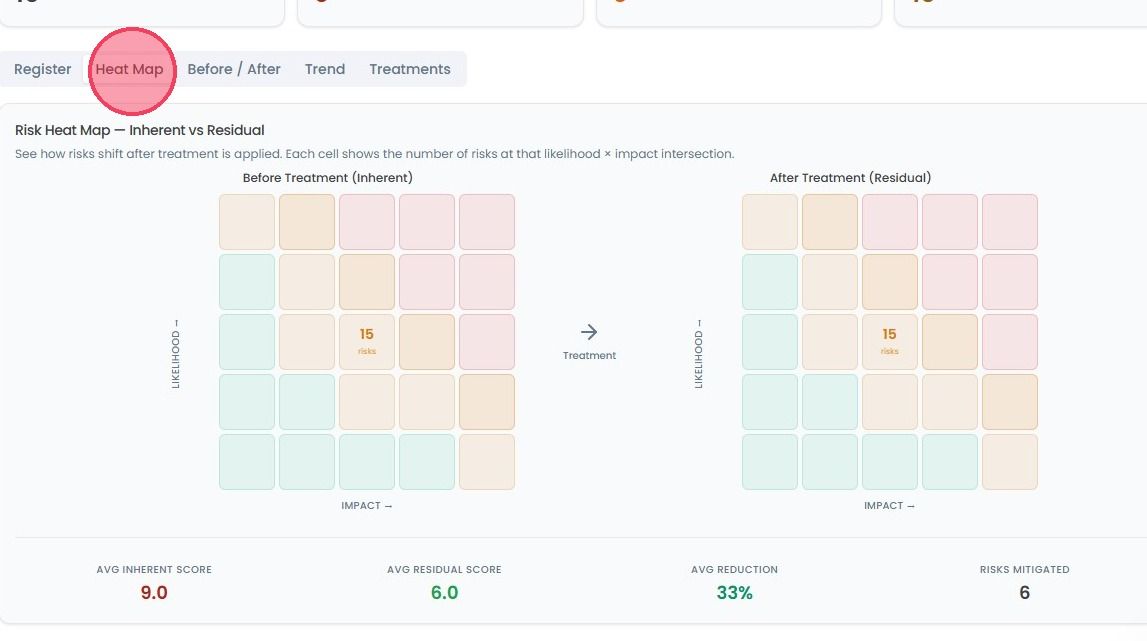
Select the Risk Register area from the main navigation bar and click the Heat Map tab. This provides a color-coded visual of how your risks shift after treatments are applied. Each cell shows the number of risks at a specific Likelihood vs. Impact intersection. In the map, you can see:
Avg. Inherent Score: Your baseline risk before controls.
Avg. Residual Score: Your current risk after controls.
Avg. Reduction: The percentage of risk you’ve successfully removed.
Risks Mitigated: The total count of risks you’ve addressed.
Comparing Effectiveness
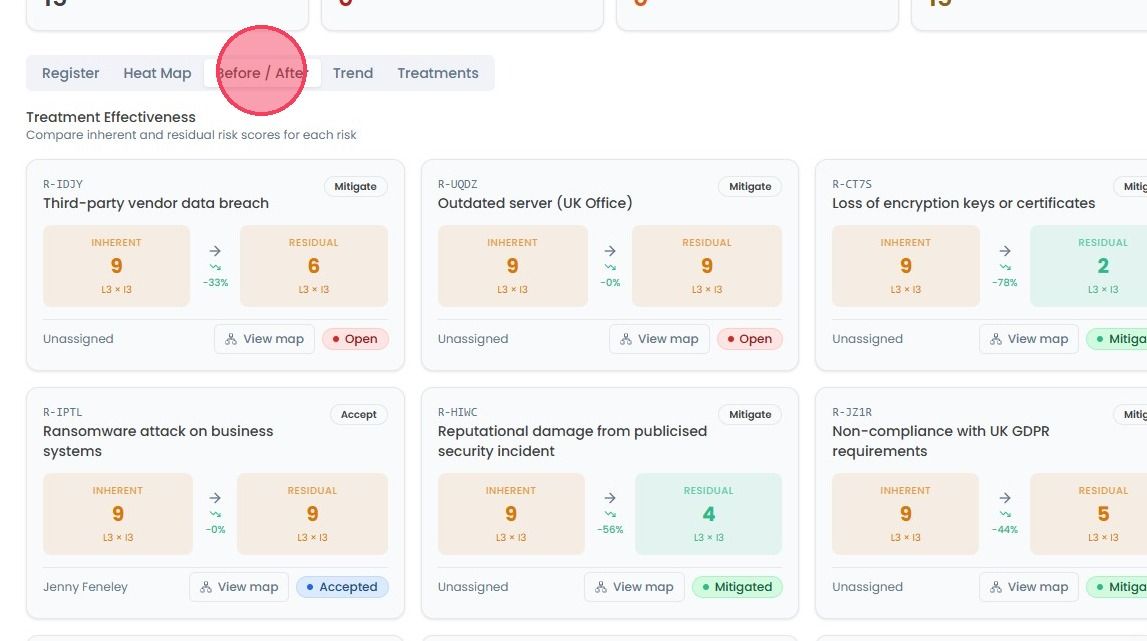
Click the Before and After tab to see a side-by-side comparison of Treatment Effectiveness. This view allows you to compare the inherent and residual scores for every individual risk, proving exactly how much safer each item has become.
Tracking Progress Over Time
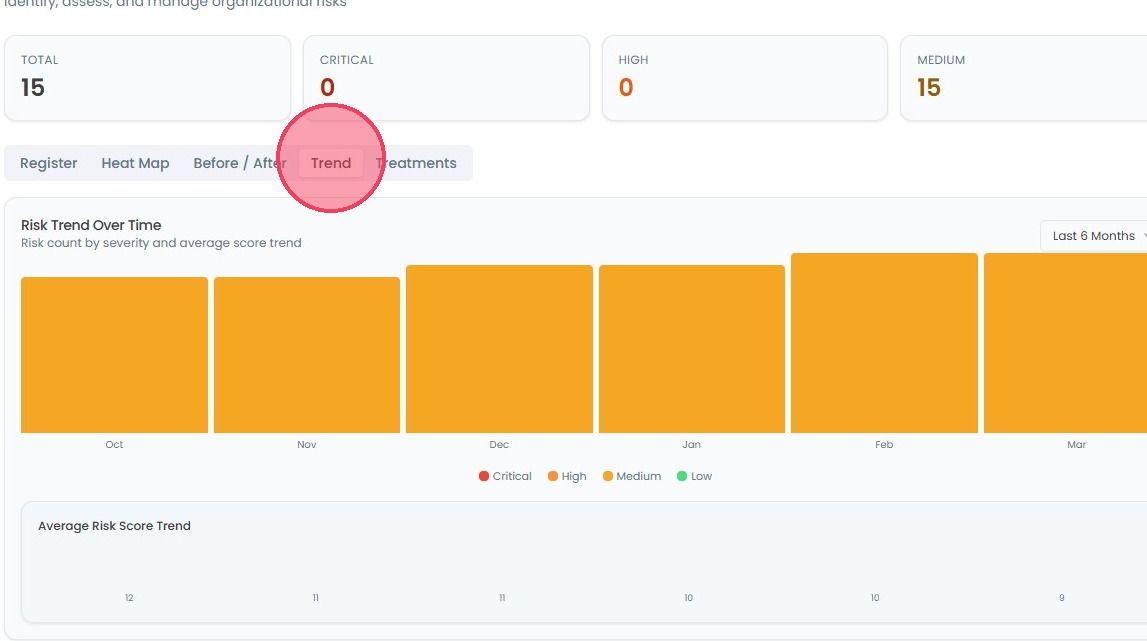
Use the Trend tab to monitor how your risk posture evolves. You can view the risk count by severity (Critical, High, Medium, Low) and the average score trend. You can also use the dropdown menu in the top-right corner to view data from the last 3 months, 6 months, or 12 months.